Set up auto top-up
No more stopped servers because of an empty balance: top up automatically by card or PayPal.
1 min read Updated on 07.10.2026
How it works
You set three values:
- Threshold: when your balance drops below it (e.g. €5), we top up.
- Amount: how much is added each time (e.g. €20).
- Monthly limit: never more than this is charged automatically in a calendar month.
Set it up
- Open Balance and scroll to Auto top-up.
- Choose threshold, amount and monthly limit and confirm the automatic charges.
- Pay the first top-up by credit card or PayPal. Our payment provider Mollie stores your payment method in the process.
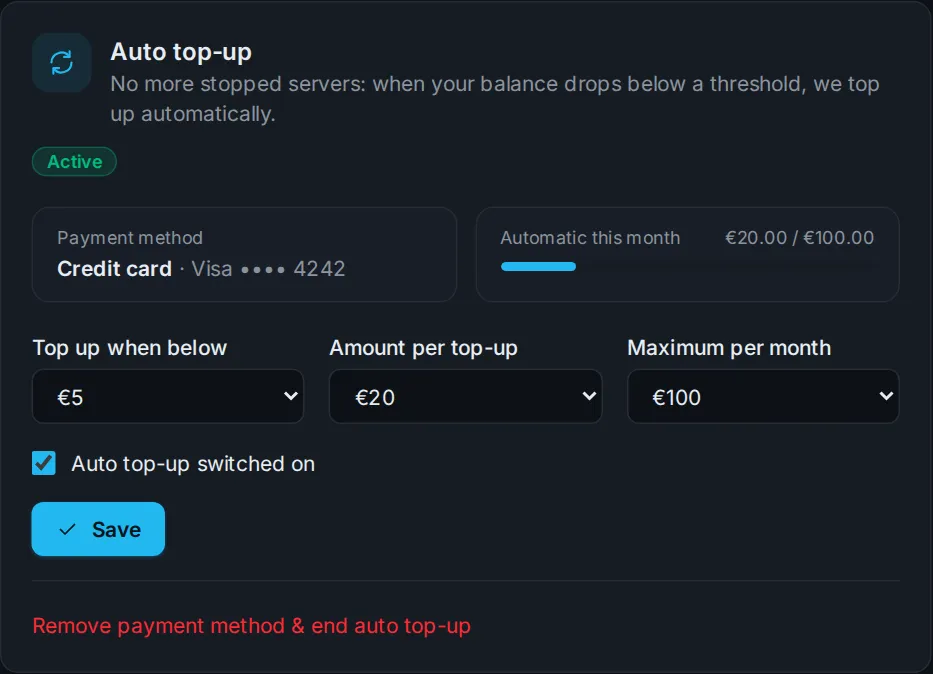
The auto top-up is then active – you get a confirmation by email.
Day to day
- You get an email for every automatic top-up.
- If a charge fails, we try again after an hour. After three failed attempts we pause the auto top-up and let you know.
- You can pause it, change the values or remove the payment method at any time.
Didn't work?
Ask Nexi in the customer area or open a ticket – we'll help you out.