Status page, server list & community fund
Show your community that your server is up – and let players chip in for the server costs together.
1 min read Updated on 07.10.2026
Public status page
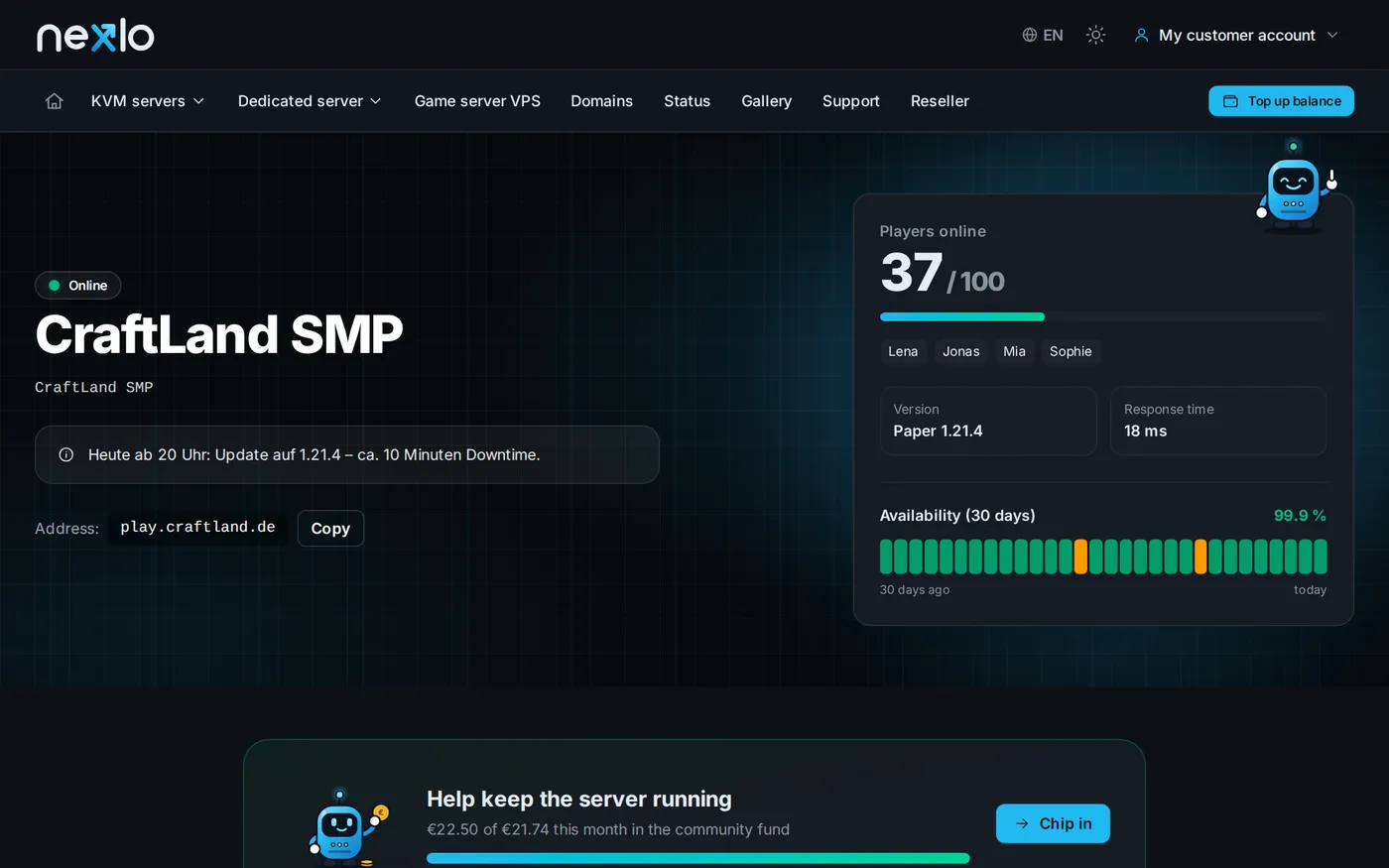
Enable the status page in your server's Community tab. It shows online status, player count, version and uptime over the last 30 days. Simply share the link on Discord or your website. You can also add a maintenance notice there.
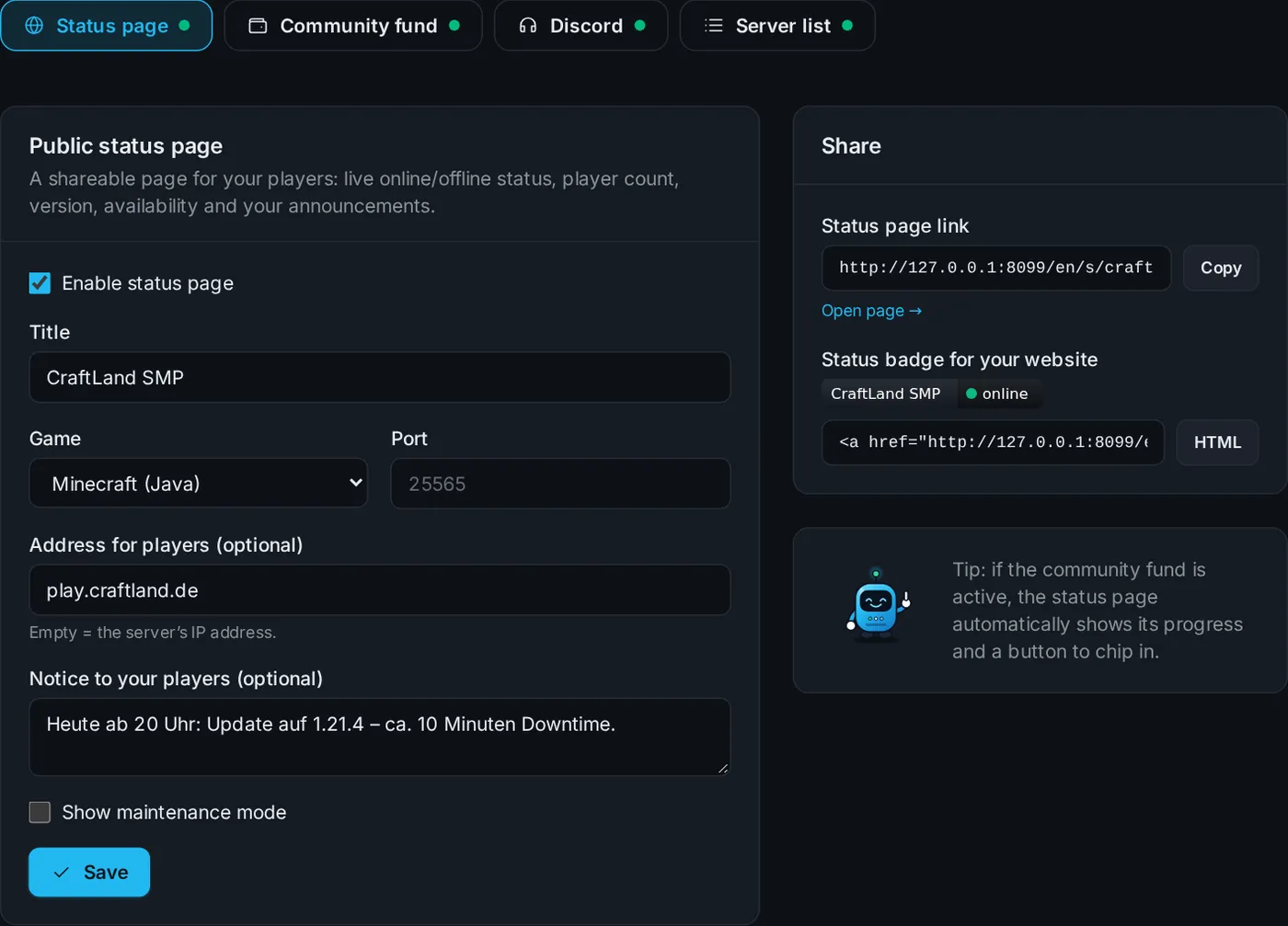
Listing in the server list
Tick a box and your server appears in our public server list – with category, language, description and Discord link. That's how new players find you.
Community fund
The community fund gives you a link players and friends can use to pay into your server – no account needed. Contributions are added to your balance. A progress bar on the status page shows how much has come in this month.
Discord notifications
Add a webhook under Discord – your server then posts automatically when it goes online or offline, maintenance is coming up or someone contributes to the fund.
Didn't work?
Ask Nexi in the customer area or open a ticket – we'll help you out.