Order your first server
From account to running server in a few minutes – package, location and operating system.
2 min read Updated on 07.10.2026
1. Create an account and top up
Sign up for free and confirm your email address. Then top up an amount under Balance – e.g. via PayPal or credit card. Cloud servers are billed hourly from your balance, there is no minimum term.
To place an order, your balance has to cover at least 24 hours of the selected server.
2. Choose a package and location
Click Order server in the dashboard. Pick a ready-made package (e.g. a game server package) or configure CPU, RAM and storage yourself. Then choose the location – for players in Germany and Austria, Frankfurt is usually the best choice.
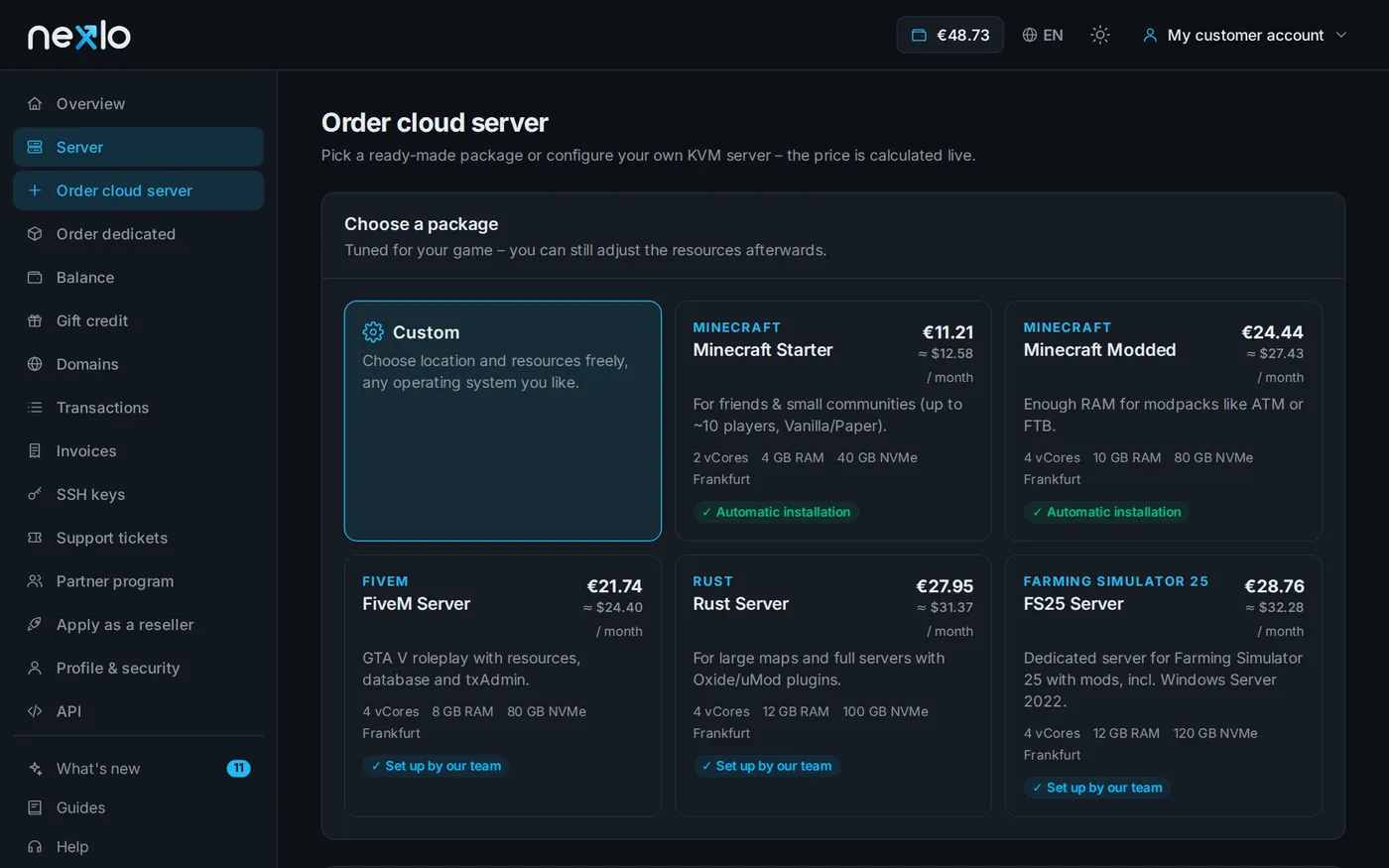
3. Operating system and access
Choose the operating system, e.g. Ubuntu 24.04 or Debian 12. If you have already added an SSH key, you can install it right away – then you don't need a password to log in.
4. Done
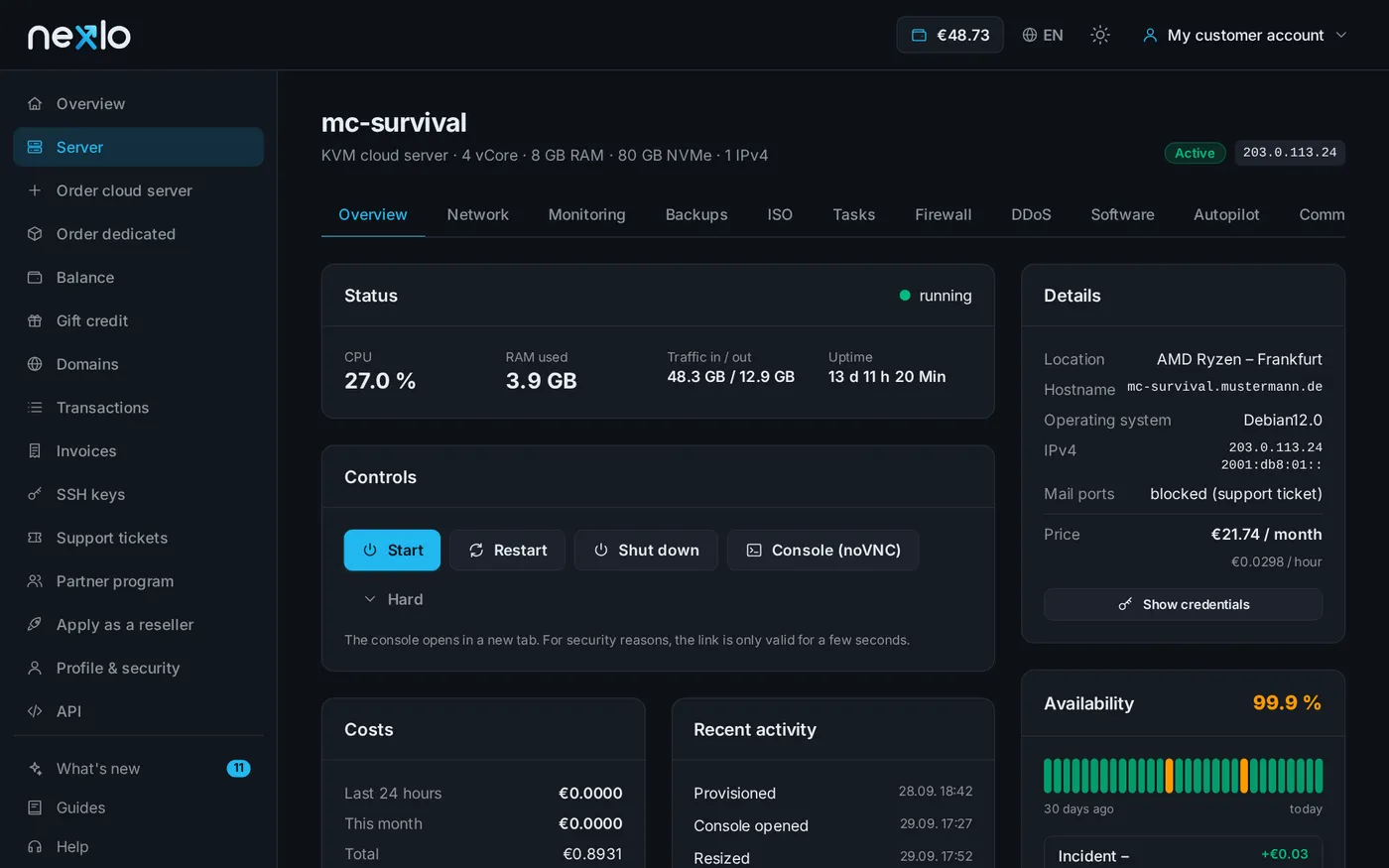
After submitting, your server is usually ready after about one minute. The server overview shows the IP address and credentials, lets you start and restart it or open the console in your browser.
Next: Connect via SSH.
Didn't work?
Ask Nexi in the customer area or open a ticket – we'll help you out.