Create, restore and automate backups
One-click backups, automatic ones with a backup plan – and how to restore a backup.
1 min read Updated on 07.10.2026
One-click backup
In your server's Backups tab, click Create backup. The backup contains the whole disk. Ideally make a backup before every bigger update.
Automatic with a backup plan
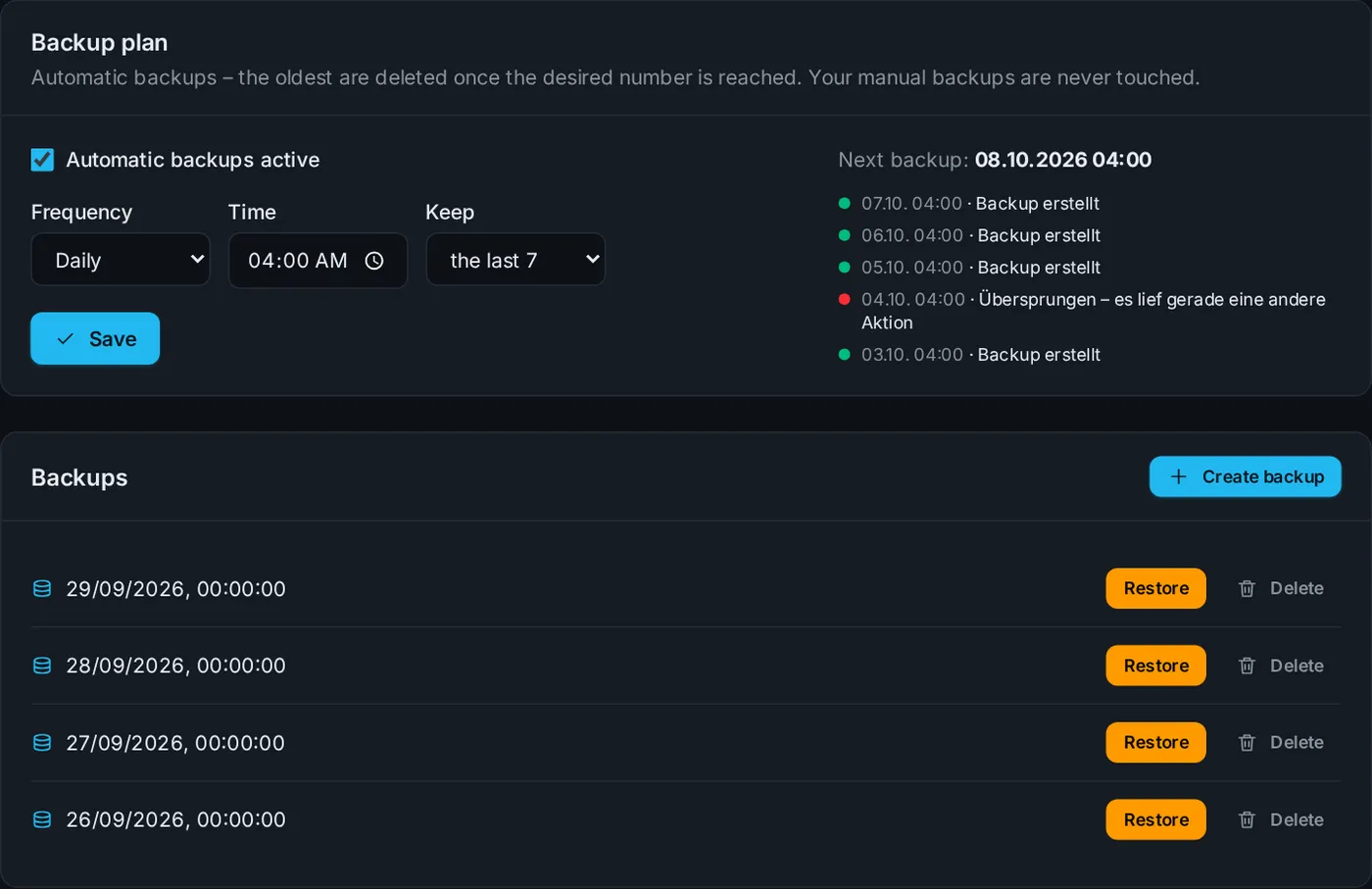
In the same tab you set up a backup plan:
- Daily or weekly at a fixed time – ideally at night when little is going on.
- Retention: how many automatic backups are kept (e.g. 7). Once the limit is reached, the oldest automatic backup is deleted.
- Your manual backups are never deleted by the plan.
If a scheduled backup fails, you get an email.
Restore a backup
- In the Backups tab, click Restore next to the backup you want.
- Enter the server name to confirm.
Restoring replaces all current data on the server with the state of the backup. Create a new backup first if you still need the current state.
Didn't work?
Ask Nexi in the customer area or open a ticket – we'll help you out.