Open ports in the firewall
The firewall in the panel decides which connections reach your server – this is how you open ports.
2 min read Updated on 07.10.2026
Where is the firewall?
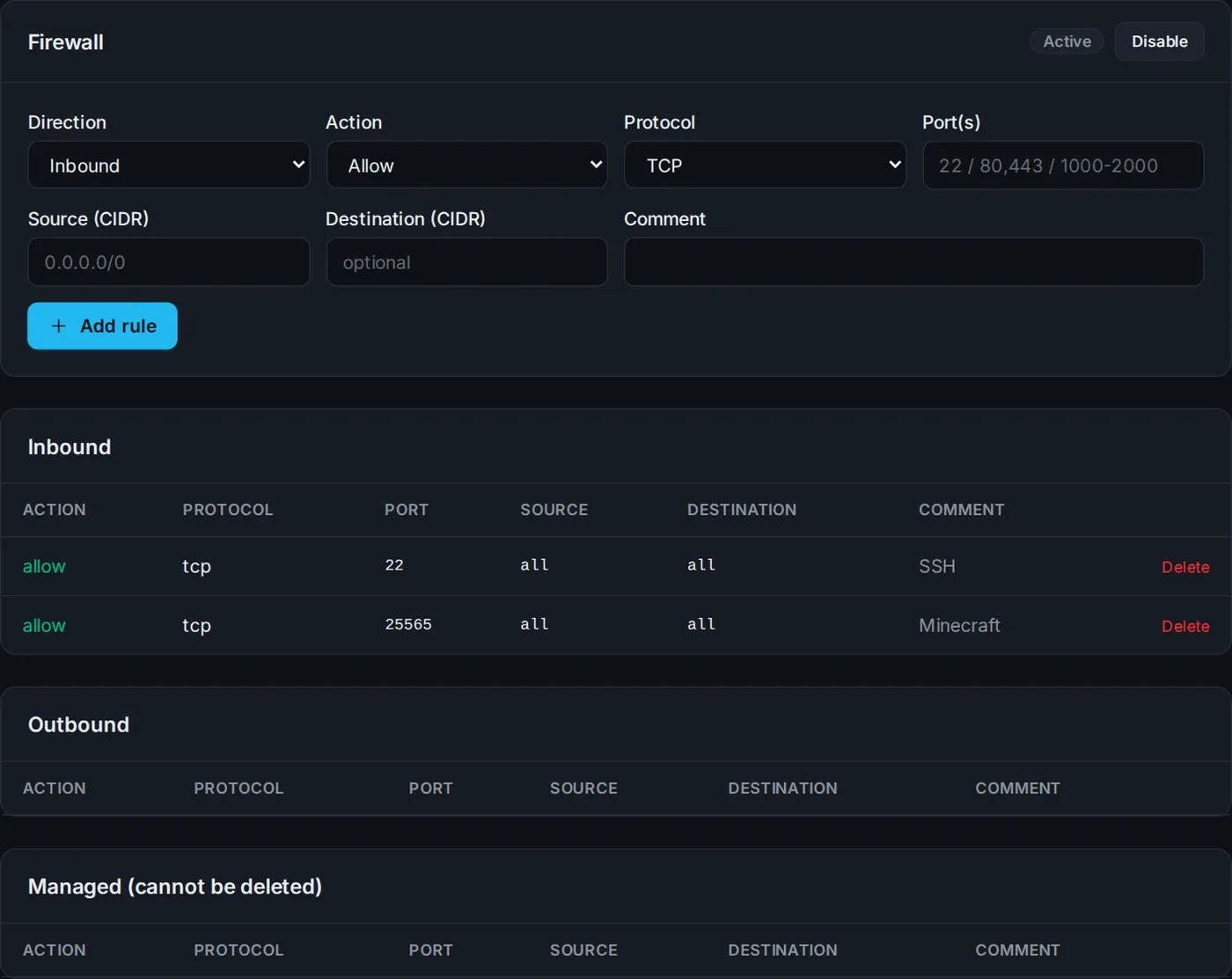
Open your server and switch to the Firewall tab. There you turn the firewall on or off and manage its rules.
Add a rule
- Direction: Inbound (connections to your server)
- Action: Allow
- Protocol: TCP or UDP – depending on the service
- Port: a number (
25565), several (80,443) or a range (27015-27030) - Source: empty or
0.0.0.0/0for everyone – or only your own IP - Optionally a comment, so you remember what the rule is for.
Common ports
| Service | Protocol | Port |
|---|---|---|
| SSH | TCP | 22 |
| Website | TCP | 80, 443 |
| Minecraft Java | TCP | 25565 |
| Minecraft Bedrock | UDP | 19132 |
| FiveM | TCP + UDP | 30120 |
If you lock yourself out because SSH (port 22) is not allowed, the console (noVNC) still gets you onto the server.
Email ports
Outgoing mail ports (25, 465, 587) are blocked to prevent spam. If you need them, open a ticket.
Didn't work?
Ask Nexi in the customer area or open a ticket – we'll help you out.