Set up a Minecraft server (Paper)
Install Java, download Paper, start it automatically and open the port – step by step.
2 min read Updated on 07.10.2026
This guide assumes Ubuntu 24.04 and that you are connected via SSH.
1. Install Java
Current Minecraft versions need Java 21:
apt update && apt install -y openjdk-21-jre-headless
2. Create a dedicated user
The server should not run as root:
adduser --system --group --home /opt/minecraft minecraft
cd /opt/minecraft
3. Download Paper
Copy the download link of the version you want from papermc.io/downloads and download the file:
sudo -u minecraft wget -O paper.jar "LINK-FROM-PAPERMC"
echo "eula=true" | sudo -u minecraft tee eula.txt
With eula=true you accept the Minecraft EULA.
4. Start automatically
Create the file /etc/systemd/system/minecraft.service:
[Unit]
Description=Minecraft
After=network.target

[Service]
User=minecraft
WorkingDirectory=/opt/minecraft
ExecStart=/usr/bin/java -Xms2G -Xmx6G -jar paper.jar --nogui
Restart=on-failure

[Install]
WantedBy=multi-user.target
-Xmx is the maximum memory – leave about 1–2 GB for the system. Then start it:
systemctl daemon-reload
systemctl enable --now minecraft
5. Open the port
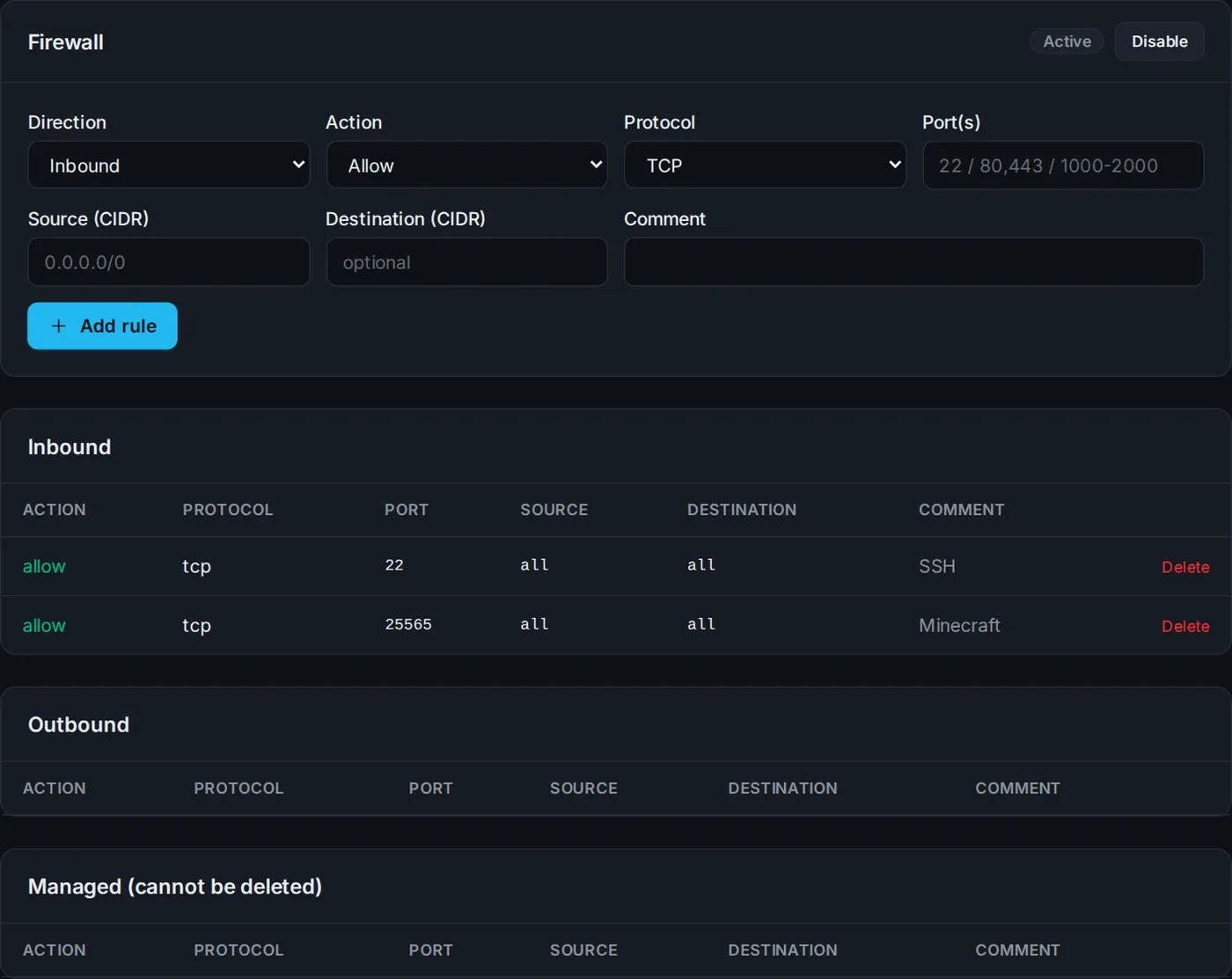
If the firewall is active in the Firewall tab, add a rule: Inbound · Allow · TCP · port 25565. Players can then join using YOUR-IP.
6. Extras
- Connect a domain so players can use e.g.
play.yourserver.com. - The status page and server list in the Community tab show player count and version.
- A backup plan saves your world automatically.
Didn't work?
Ask Nexi in the customer area or open a ticket – we'll help you out.